Rooms
CIVL 302 - midterm prep
- DevonRoom 204 is free till six if we want it
- Priyaperfect - bringing the past midterms
- Devonposting it on Connect so the others can find us
- Mayajust joined, see you at 4
CIVL302-midterm-2024.pdfShared
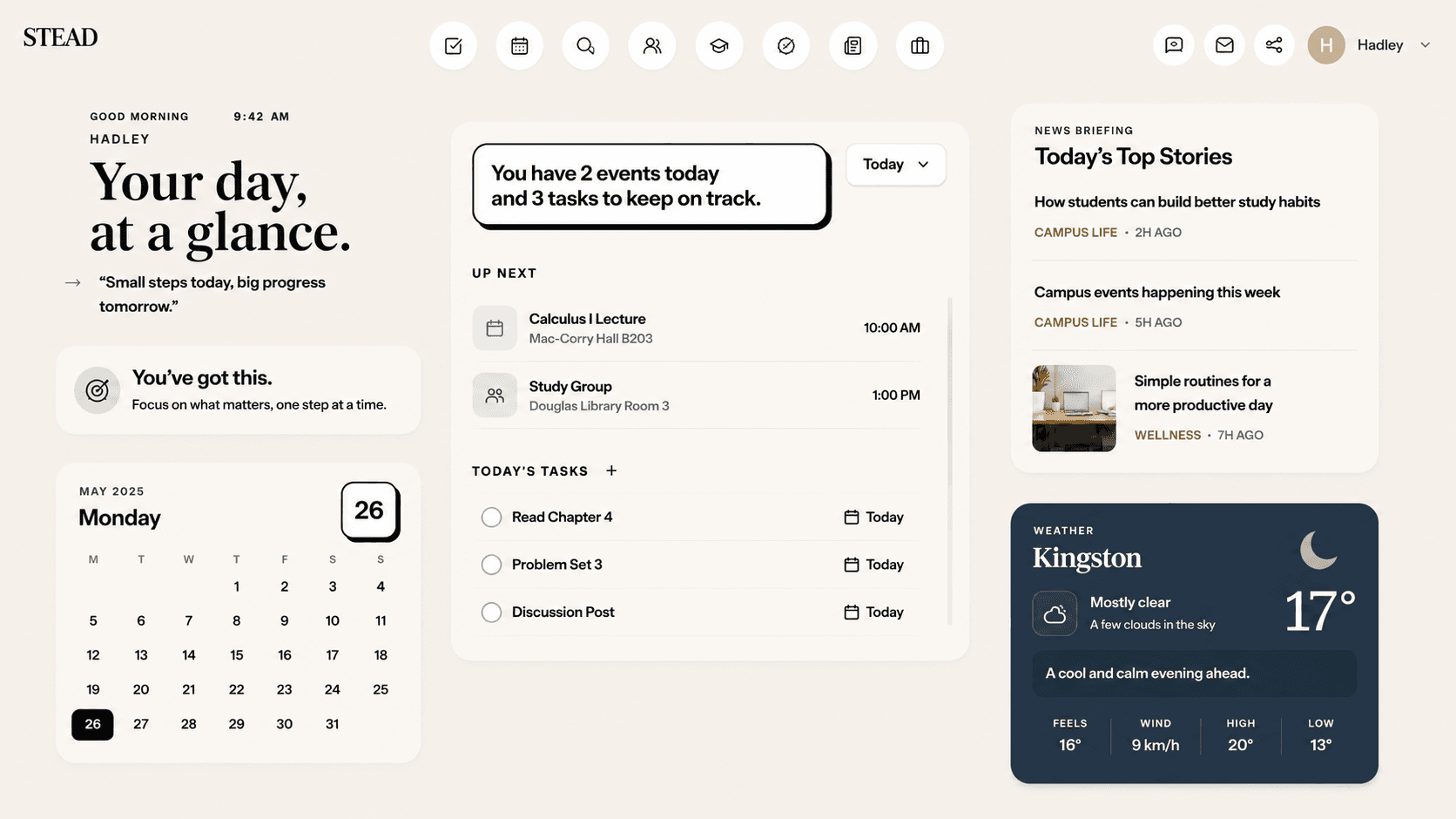
Twelve places to check. One place to look.
Upload a syllabus. Stead handles the setup.
A demonstration: a course syllabus PDF is uploaded, and Stead reads it and builds the course - COMM 2XX Foundations of Management, with its class times and its graded work and weights filled in.
Course created
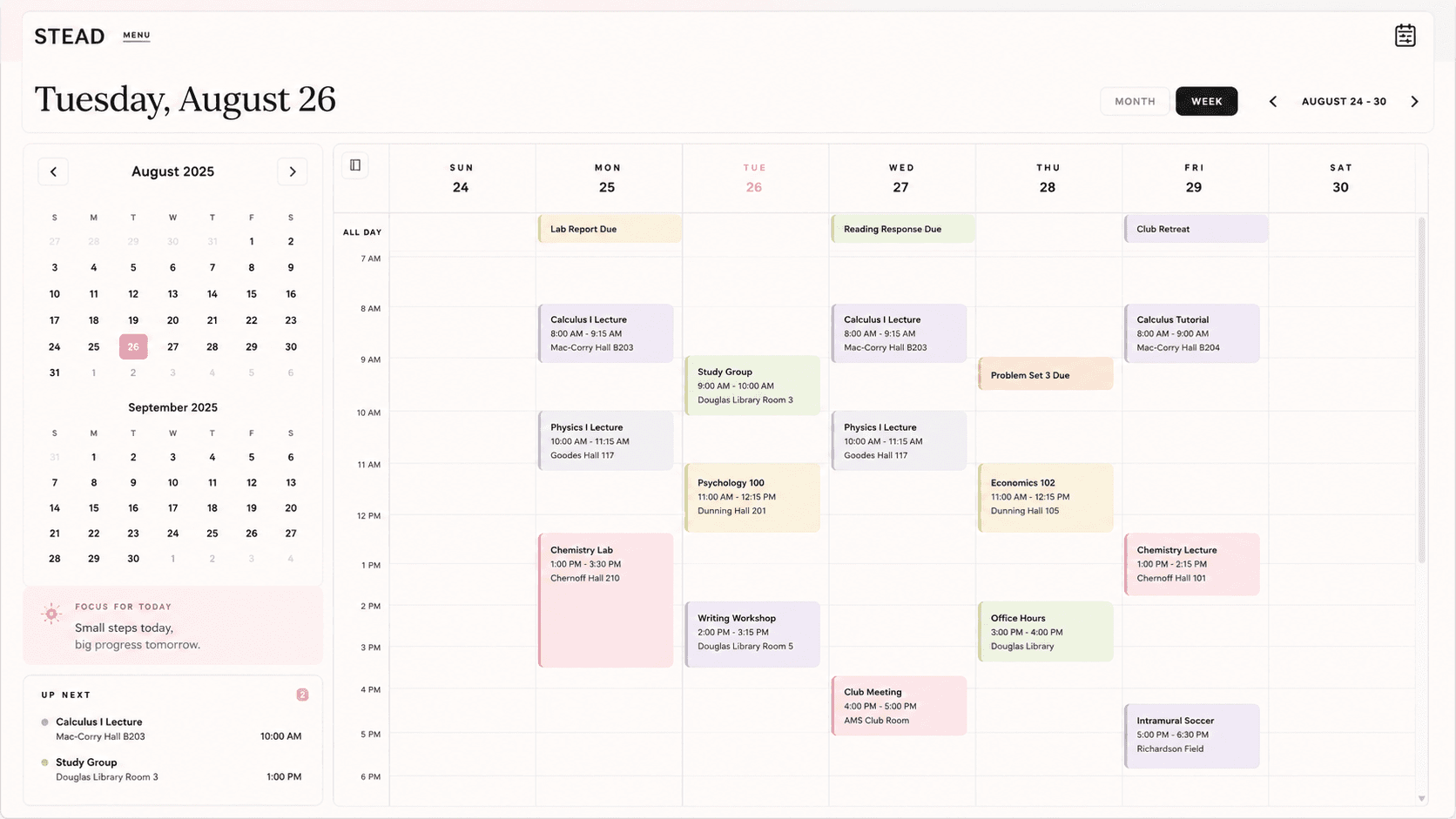
Classes, deadlines, tasks and life - all in one place.
Upload a syllabus and the course is created and filled in for you - its own space for the schedule, grades, people, resources and files.
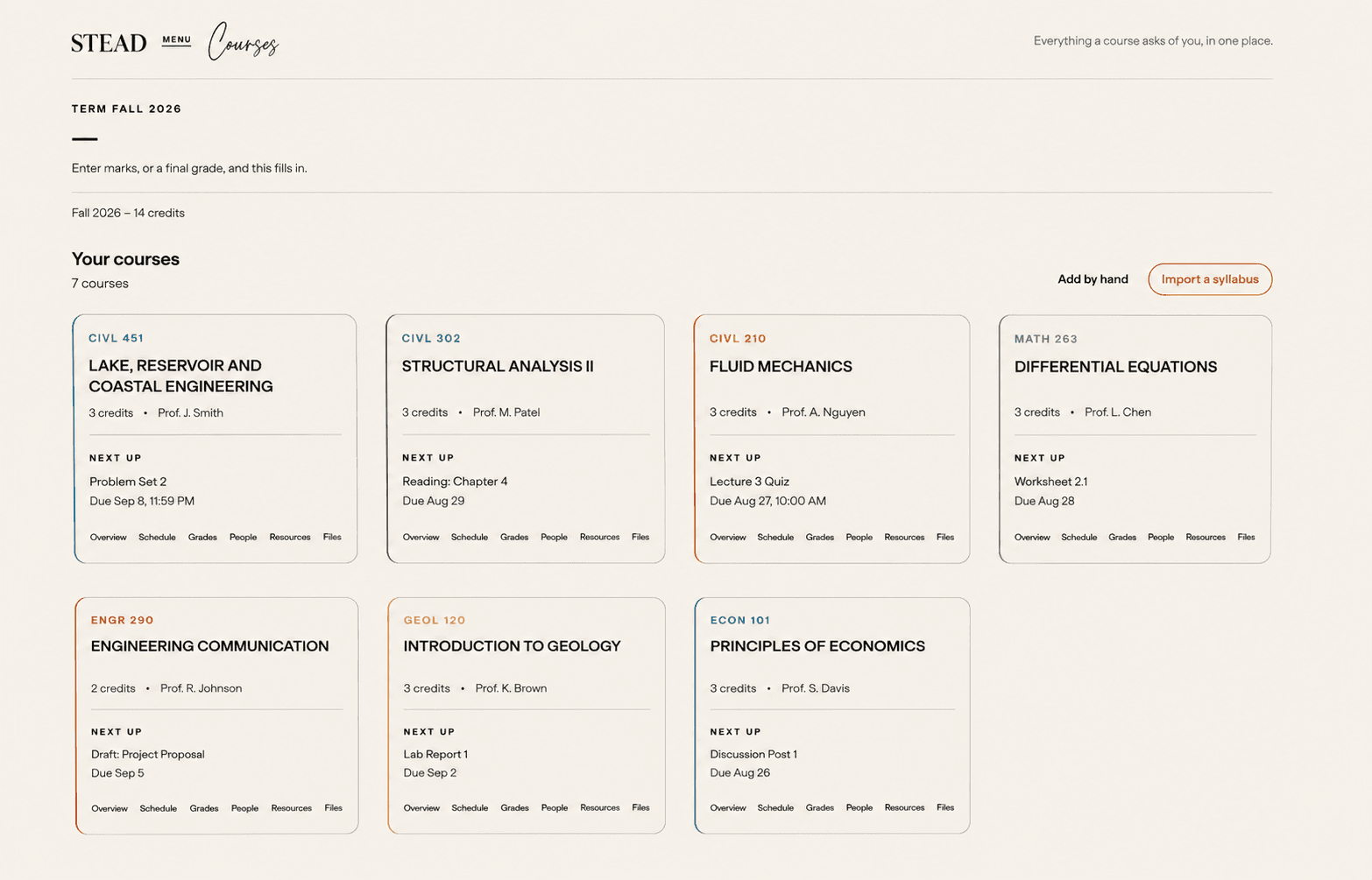
Interface shown is illustrative.
Talk with friends, build groups, discover what's happening, and show people what you're working on.
A demonstration of Stead’s social side: a course room where a group is talking and sharing files, a study session posted on Connect that other students join, and the personal profile of the student who joined it.
No setup marathon. A few short steps between here and a dashboard that already knows your day.
Create your account
One place for your whole university day.
Connect a calendar
Drop your syllabus
Course created
PSYC 100Principles of Psychology
Your week
Fall 2026Tuesday · September 9
Good morning, Sam.
3 classes, 4 tasks, and clear skies later.
4°
Partly cloudy
Sign up in under a minute. No setup marathon, no manual to read.
Create your account
One place for your whole university day.
onQ, Google, Apple and Outlook all connect, so your existing events sit beside your coursework.
Connect a calendar
Each syllabus becomes a course, filled in for you - instead of you retyping a term out of a PDF.
Drop your syllabus
Course created
PSYC 100Principles of Psychology
Every class becomes a weekly event on your calendar - the whole term, from one screenshot.
Your week
Fall 2026From then on, your day is assembled and waiting the moment you arrive.
Tuesday · September 9
Good morning, Sam.
3 classes, 4 tasks, and clear skies later.
4°
Partly cloudy
Everything in Stead is free. There is no paid tier, no trial to run out, and nothing held back behind one.
Free, always
Everything, at no cost.
No credit card to start. No surprises later.
It's one place for your university day. Stead brings your calendar, tasks, courses and the information that shapes your day - news and weather - into a single, calm workspace instead of a dozen tabs.
University and college students who want one organized place to start their day, rather than jumping between an LMS, a calendar, a to-do app and their email.
We're launching first with students at Queen's University, and the product is built to expand to other universities from there. Nothing is limited to one school though - connecting a calendar and uploading a syllabus works wherever you study.
Yes. Google, Apple and Outlook calendars all connect today, so your existing events sit in the same schedule as your classes.
Upload a syllabus and Stead creates the course and fills it in for you. You can also add a course by hand, and connecting a calendar you already use brings your existing events across.
It creates the course and populates it from the document, so you get an organized space for that class - schedule, grades, people, resources and files - without typing it in yourself.
No, and it isn't affiliated with one. Your university's systems stay the source of truth for grades, deadlines and enrolment - Stead is where your own day comes together.
Stead is free. The whole workspace - dashboard, tasks, calendar and courses - costs nothing to use.
Yes - it runs in your phone's browser today, with nothing to install. There's no separate app in the stores yet.
We treat your academic information as private and only connect the services you choose to connect. You can review how data is handled in our Privacy Policy.
Create a free account, connect the calendar you already use, and upload a syllabus. Your term builds out from there. It takes about a minute to begin.